Team & workspaces
Seats with their own logins, thread assignment, team-channel alerts when the assistant books or hands off, and separate workspaces for every client.
Seats
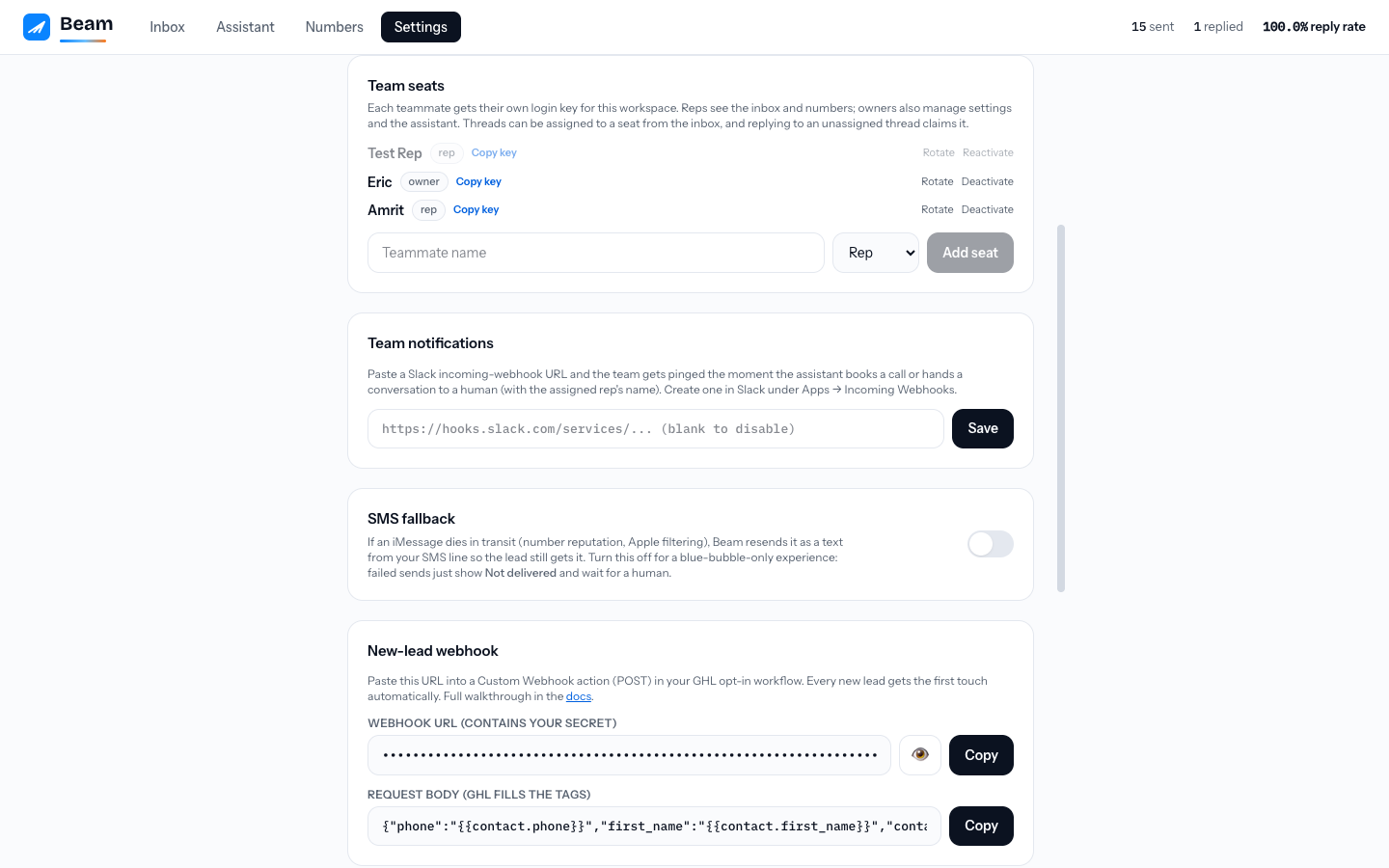
Every teammate gets their own login key (Settings → Team seats). Two roles:
- Owner: everything, including Settings, the Assistant, seats, and number management.
- Rep: the inbox and numbers view. Reps answer conversations; they can't change workspace configuration.
Keys can be rotated or deactivated at any time from Settings. A deactivated seat stops working instantly.
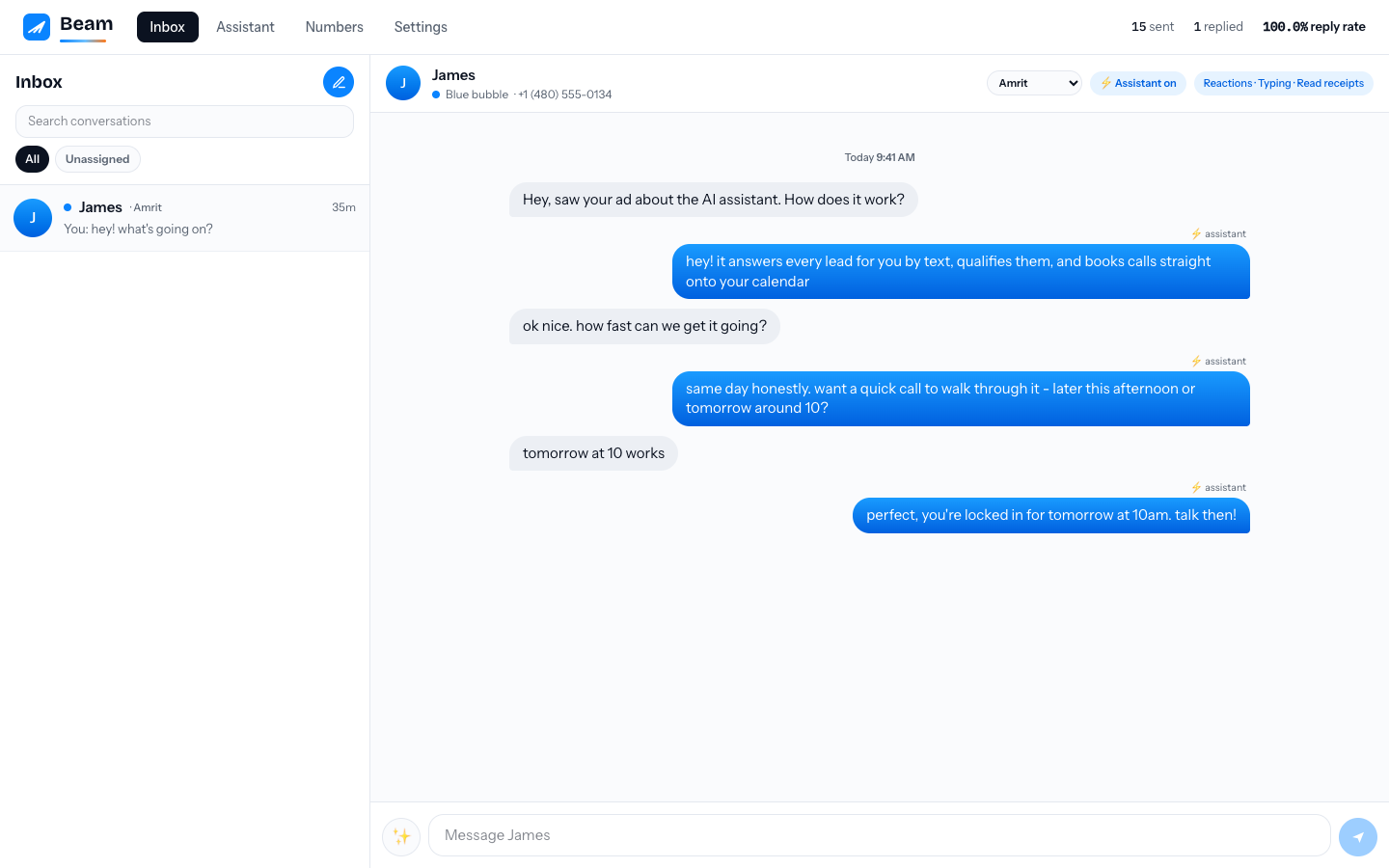
Thread assignment
- Assign any conversation to a seat from the dropdown in the conversation header.
- Replying to an unassigned thread claims it for the sender, so ownership is always visible and two reps don't work the same lead.
- The inbox filters by All / Mine / Unassigned, and each thread shows its owner's name in the list.
Team-channel alerts
Paste an incoming-webhook URL in Settings → Team notifications and the team channel gets notified the moment:
- the assistant books a call (with the agreed time and the assigned rep's name),
- the assistant hands off a conversation that needs a human,
- a booking write fails after a lead agreed to a time, so someone locks it in manually.
For anything richer, subscribe to event webhooks and route them yourself.
Delivery honesty
Beam verifies every outbound message against carrier-side delivery records within minutes. A message that dies shows Not delivered under its bubble instead of silently looking fine. Workspaces can choose (Settings → SMS fallback) whether a dead blue-bubble message is automatically re-sent as a text from the SMS line, or left for a human, keeping the experience blue-bubble-only.
Workspaces for clients and resellers
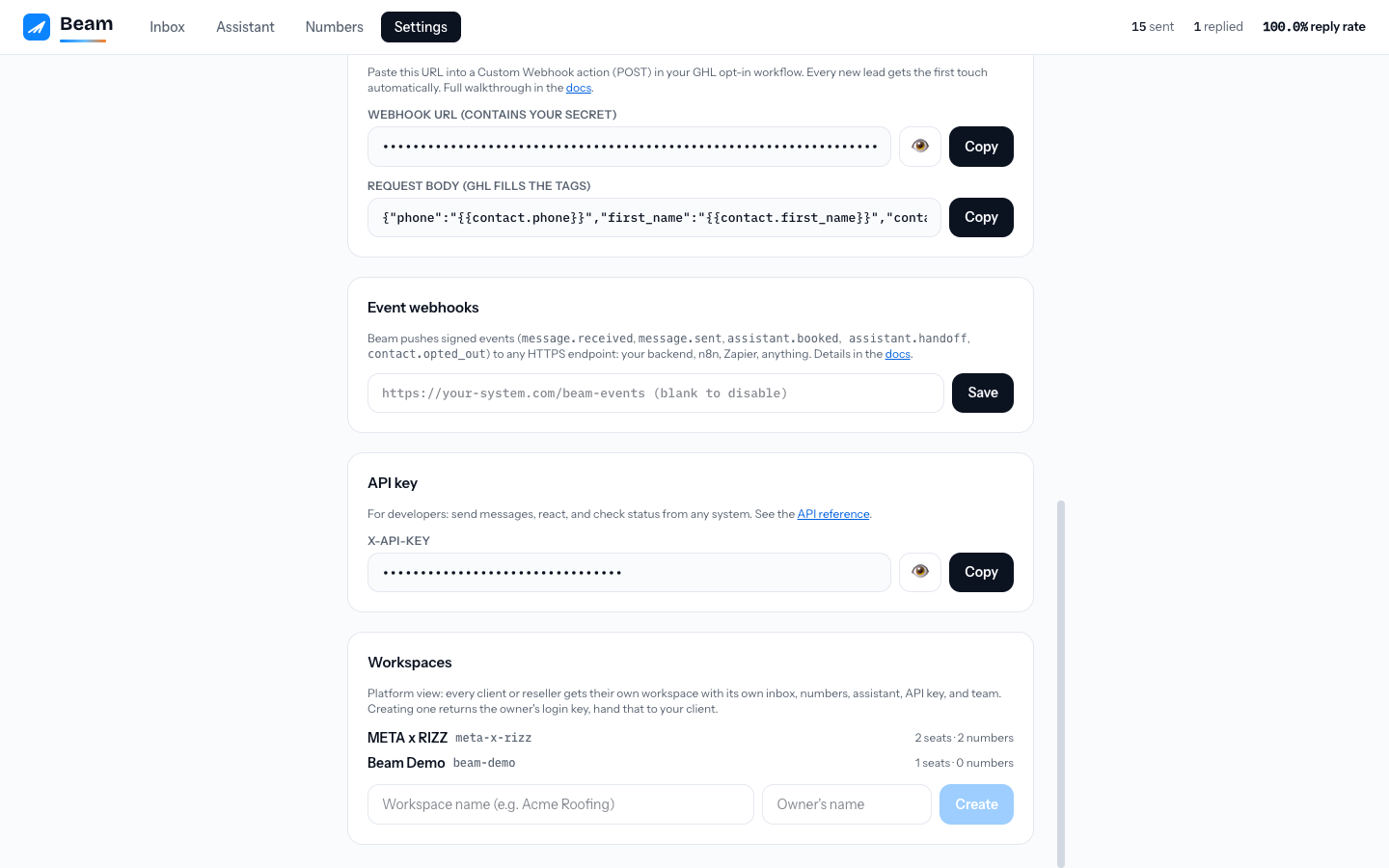
Each client or reseller runs in its own workspace: separate inbox, numbers, assistant, team, CRM connection, and API key. Nothing crosses between workspaces. Creating a workspace takes one call (or one click for platform operators) and returns the owner's login key and the workspace API key, ready to hand over. Message queues drain per number in parallel, so one busy workspace never slows another.